

Quick Overview
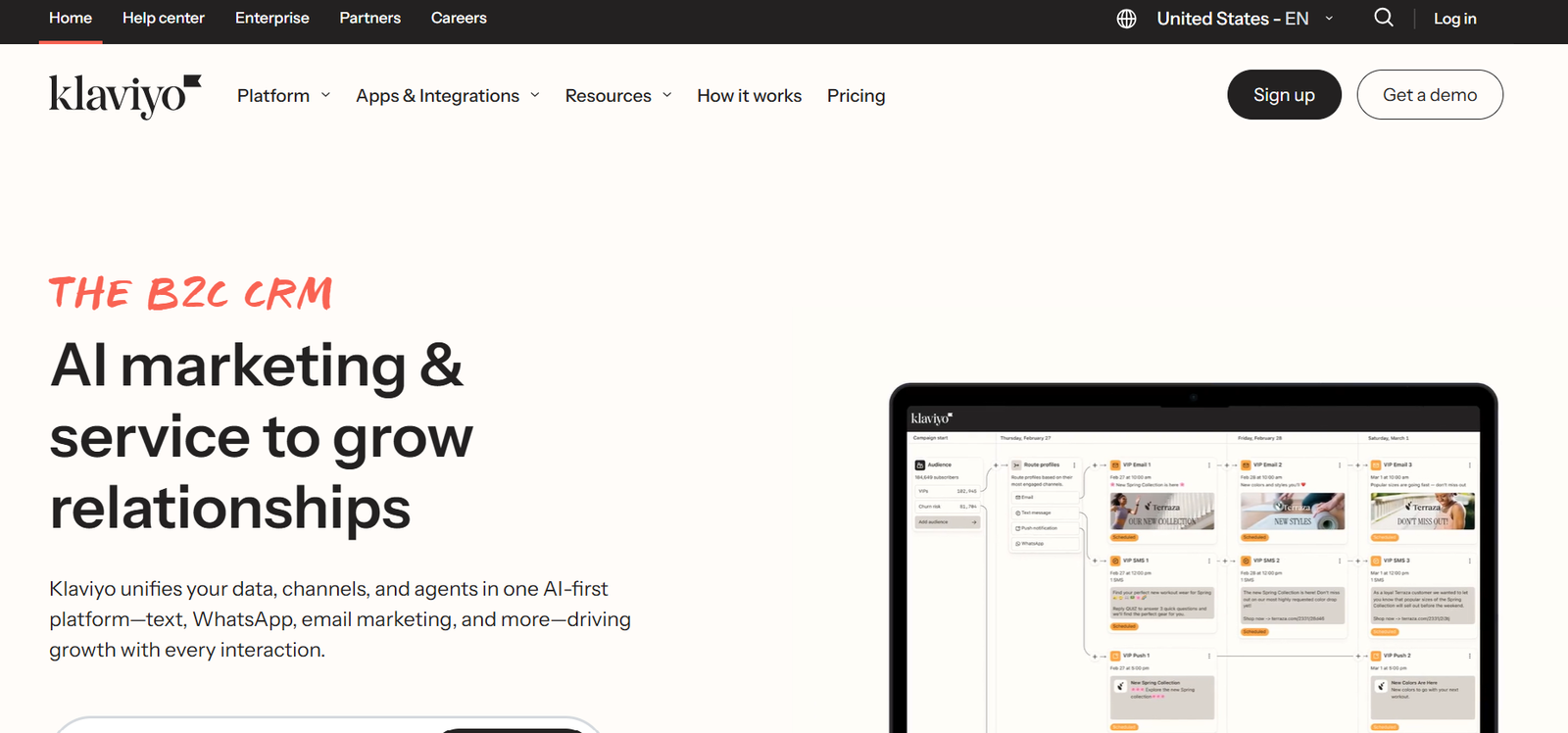
Klaviyo is a powerful email and SMS marketing platform designed to help ecommerce businesses connect with customers and increase sales. It offers advanced automation, audience segmentation, and personalized messaging based on customer behavior. With strong integrations for platforms like Shopify and WooCommerce, Klaviyo makes it easy to create targeted campaigns and track performance. Whether you are sending your first email campaign or building a full marketing automation system, Klaviyo provides the tools businesses need to grow and engage their audience.
Editor’s Rating
My rating here is a solid 4.6 / 5
Klaviyo earns high marks for its powerful automation, deep customer data, and strong ecommerce integrations, making it a top choice for online marketing. Its advanced segmentation, detailed analytics, and flexible automation tools help businesses create highly targeted email and SMS campaigns that drive real results. While the platform can feel a bit complex for beginners and pricing increases as your contact list grows, Klaviyo’s powerful features, reliable performance, and strong integrations make it a great option for stores that want to scale their marketing and build stronger customer relationships.
Klaviyo Pricing
My rating here is 4 out of 5.
Here’s why:
- Klaviyo offers a free plan that lets you test email marketing features before paying
- Pricing scales with your contact list, so small stores can start cheaply
- SMS pricing is separate and can increase costs if you send many messages
- Larger businesses with big lists may find the platform more expensive than some alternatives
Overall, Klaviyo provides strong value for ecommerce brands that want powerful automation and detailed customer insights. The platform may cost more as your list grows, but the advanced segmentation, analytics, and integrations often make the investment worthwhile for serious online stores.
Plans and Pricing
Klaviyo offers several plans designed for different business sizes and marketing needs.
The free plan is a good starting point for beginners. It allows you to send a limited number of emails each month and access basic automation features. This makes it easy to test the platform before committing to a paid plan.
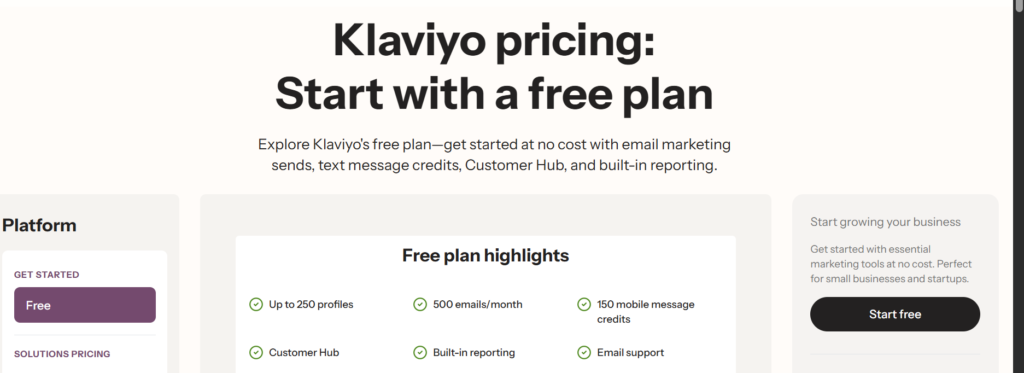
Paid plans increase based on the number of contacts in your list. As you upgrade, you get access to more advanced tools like deeper analytics, better segmentation, and higher sending limits.
If your store grows, Klaviyo makes it simple to scale your plan so you can continue sending campaigns without interruptions.
One important thing to note is that SMS marketing is billed separately, which means your total cost depends on how many text messages you send each month.
For most ecommerce businesses, the pricing structure is fairly transparent and flexible compared to some other marketing platforms.
Refund Policy
Klaviyo doesn’t offer a traditional money-back guarantee for subscriptions.
However, the free plan allows users to explore many of the platform’s key features without paying, which helps reduce the risk before upgrading.
Like most subscription tools, you are responsible for canceling your plan before the renewal date if you no longer want to be charged.
If billing issues happen, the support team can usually help review the situation, especially if the problem occurs shortly after renewal.
👋 My thoughts here
Their pricing model works well for ecommerce businesses that want powerful marketing tools.
Here are my thoughts:
- The free plan is helpful for beginners who want to explore the platform before paying
- Pricing grows with your contact list, which makes it flexible for small stores and scaling brands
- Advanced features like automation and segmentation justify the cost for serious marketers
- SMS pricing can increase monthly costs, so it’s important to monitor usage
Most businesses will find Klaviyo’s pricing fair considering the powerful tools it provides, but it’s still a good idea to review the pricing structure carefully before upgrading.
Pros and Cons
Here are its pros and cons:
Ease of Use
My rating here is a solid 4.2 / 5
Here’s why:
- Signup and onboarding is quick, and Klaviyo guides you through every step, so it never feels overwhelming
- Campaign creation is easy with the drag-and-drop builder for both beginners and experienced users
- There’s no setup wizard, but the process is guided and feels natural. Some beginners might want a bit more hand-holding at the start.
Klaviyo might not be the easiest but it is one of the best email marketing platforms.
However, if you’re brand new to ecommerce or digital marketing, you might need a bit of patience during your first campaign.
That’s because some features and workflows can feel new at first, so it might take a bit of extra time to get comfortable with the platform’s options and best practices.
Signup and onboarding
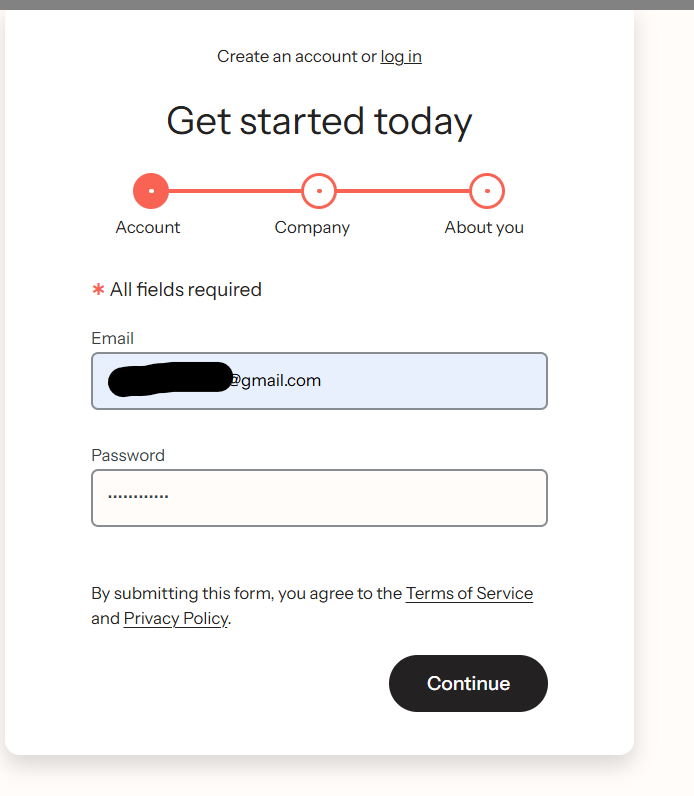
I really like that signing up really does only take a couple of minutes. When I created an account, Klaviyo instantly guided me step by step, and there was no guessing what to do next.
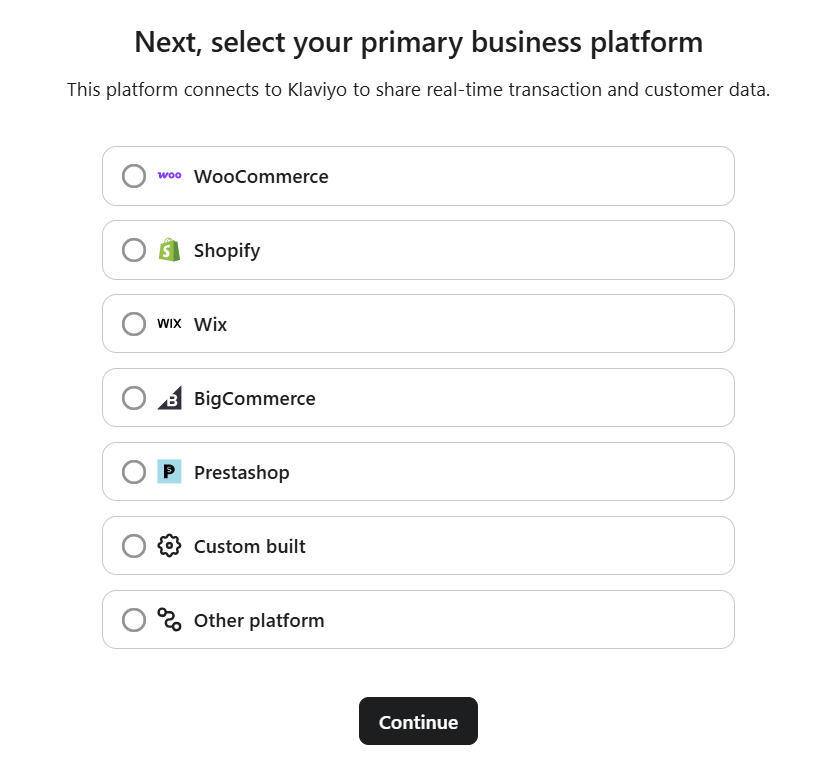
Right after registering, it prompted me to connect my WooCommerce test store (although I saw that Shopify, BigCommerce, and others are supported as well).
Importing contacts into Klaviyo was also very smooth. I uploaded a CSV file from a previous platform, and Klaviyo automatically mapped most of the fields for me.
If you’re moving from another email marketing tool, this makes the process much easier and saves a lot of time. 😊
Once my contacts were imported, Klaviyo guided me toward setting up my first flow (their name for automations). You can quickly choose from popular options such as:
- A welcome series for new subscribers
- An abandoned cart flow to recover lost sales
- Order confirmation and shipping updates
Seeing these ready-made flows right away removes a lot of the guesswork and helps you start automating your emails from the beginning.
For beginners in email marketing, this is very helpful because the platform guides you step by step. In my experience, it made getting started with Klaviyo much faster than I expected.
Campaign creation and dashboard experience
My first reaction when I logged into Omnisend, I was honestly surprised at how clean and organized the dashboard felt.
All the important tools like campaigns, automations, audience, forms, and reports are neatly lined up in the sidebar, making everything easy to find at a glance.
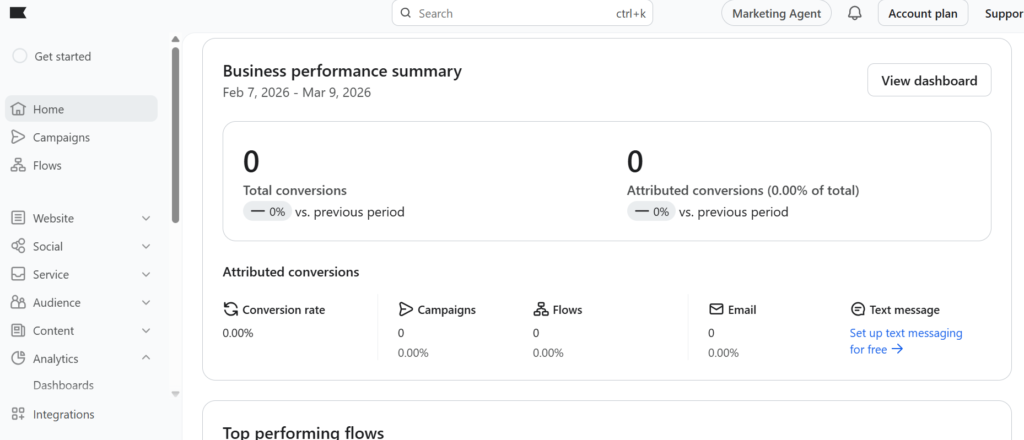
My favorite part was the drag-and-drop email builder.
I built a campaign both from scratch and using one of their templates, and both times, the emails looked sharp on desktop and mobile.
Adding product blocks, discount codes, and even SMS messages was just a matter of dragging the right element into the layout, no coding or tech skills needed at all.
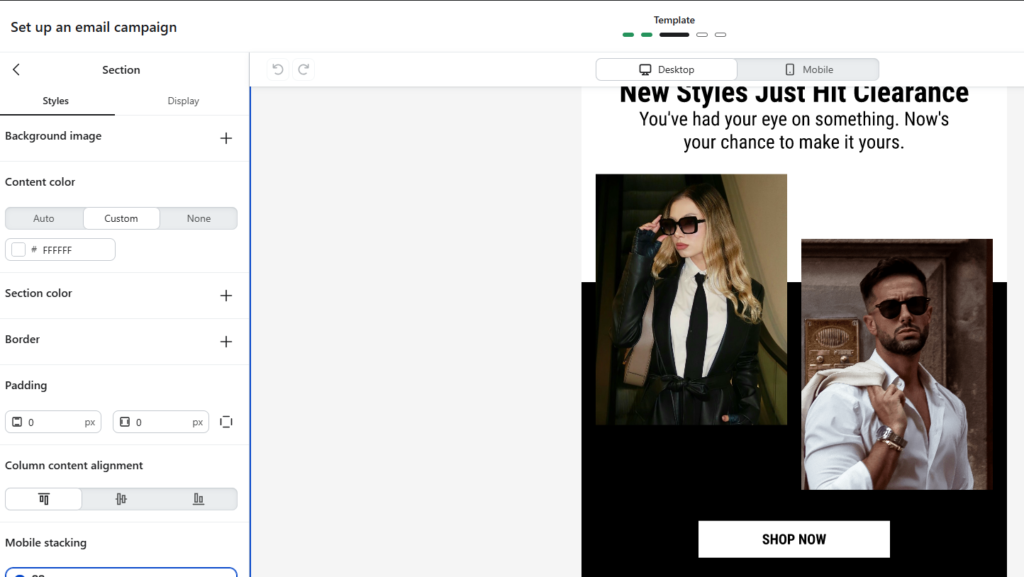
You can see a real-time preview of everything, so there are no surprises when your campaign goes out.
Setting up a multi-channel automation is also quick and intuitive. The workflow editor lets you easily arrange each step, so you always know what your customers will receive.
From what I’ve seen (and based on plenty of real user reviews), the logical layout and approachable design really do help you get campaigns out quicker and with fewer mistakes.
👋My thought here
Setting up Klaviyo and creating my first campaign felt mostly smooth, but it was a bit more detailed compared to some simpler tools. Klaviyo is powerful, so there are more options to go through at the start.
Here are my honest thoughts:
- Connecting my store and importing contacts right after signing up was fairly easy and didn’t take long
- The email builder works with drag-and-drop blocks, so creating campaigns is simple once you understand where everything is
- Klaviyo gives helpful suggestions for flows like welcome emails and abandoned cart reminders
- However, the dashboard has many features, so beginners might need a little time to get comfortable
I noticed that once I followed the setup prompts and explored the flows, things started to make sense. At first it felt a bit overwhelming, but after a short time I was able to create my first automation and see how everything connects. 😊
Best Features
For the best features, I would give Omnisend a solid 4.3 out of 5.
Here’s why:
- Automation, segmentation, and ecommerce features make Omnisend a good choice for online stores
- Blending SMS and email is easy, but SMS credits cost extra, and reporting could be better
- Product recommendations and sales tracking save time, but customization is less flexible than some competitors
Omnisend packs a strong feature set, especially if you want something focused on ecommerce and multichannel marketing.
1. Automation Workflows
Klaviyo’s automation flows are one of its strongest features, especially for ecommerce businesses, although beginners may need a little time to learn how everything works.
The platform offers many ready-made flows, such as:
✓ Welcome series for new subscribers
✓ Abandoned cart reminders
✓ Browse abandonment emails
✓ Post-purchase follow-ups
✓ Win-back campaigns for inactive customers
This variety makes it easier to start using automation without building everything from scratch.
It’s especially helpful if you run an online store, because you can pick a flow, customize the emails, and quickly start sending automated messages based on customer behavior. However, since Klaviyo offers many options and advanced settings, new users might need a bit of time to fully understand how flows and conditions work.
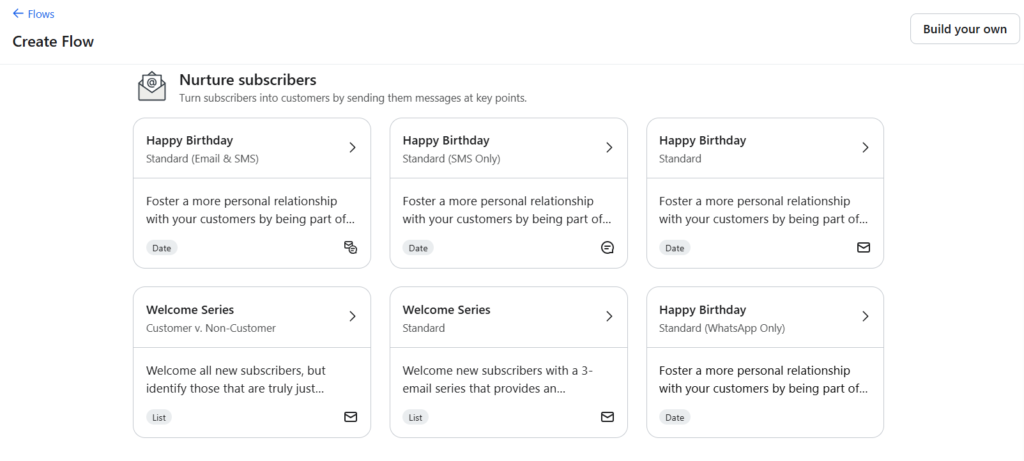
On the plus side, Klaviyo’s automations run in the background, which saves a lot of time and helps recover lost sales. I really like that once a flow is set up, it keeps working automatically without needing much attention.
One thing I noticed is that Klaviyo gives you a lot of flexibility when building automations. You can create complex flows with different paths based on customer behavior, purchases, or engagement.
For example, the flow builder is very powerful and lets you add conditions, splits, and delays to create more personalized journeys. This makes Klaviyo a strong choice if you want to build advanced, data-driven automations for your store.
2. SMS and Email Integration
Combining SMS and email in one flow is something Klaviyo also does very well.
I found it easy to create a cart recovery flow where a customer first receives an email, and then an SMS reminder if they don’t complete their purchase. This makes it easier to reach customers on different channels without needing another marketing tool.
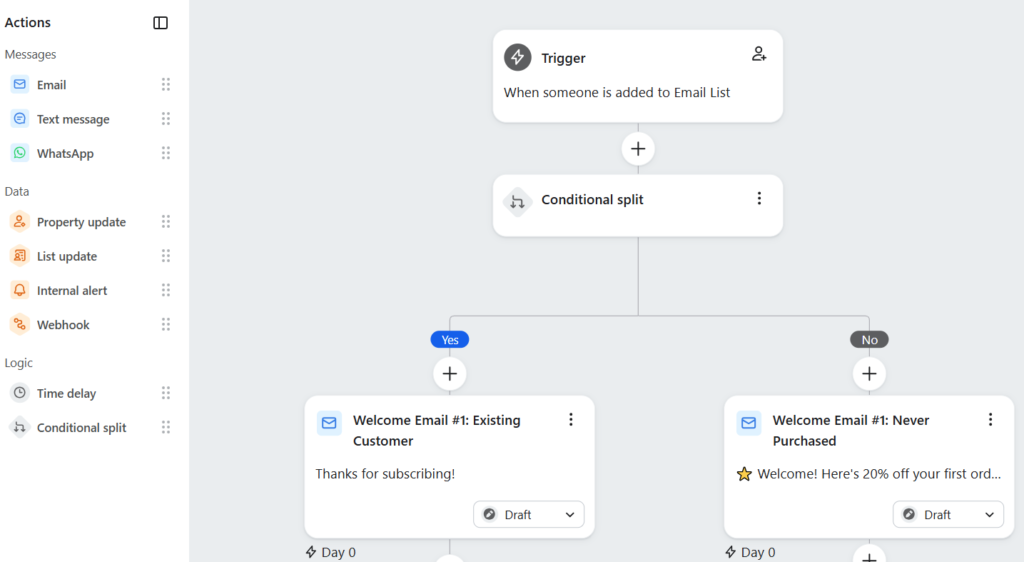
For ecommerce businesses, this is a big advantage because everything can be managed in one place, which keeps campaigns organized and saves time.
However, it’s important to know that SMS messages cost extra credits, even if you are on a paid plan. Also, setting up SMS requires a bit more configuration compared to email.
Another thing to consider is that not every business benefits from SMS marketing. If your audience mainly responds to email, then SMS may feel more like an extra feature rather than something essential.
3. Advanced Segmentation
With Klaviyo’s advanced segmentation, you can group your contacts using detailed data and customer behavior, such as:
✓ Purchase history
✓ Email and SMS engagement
✓ Products viewed or browsed
✓ Amount spent or average order value
✓ Location, device, and customer profile data
✓ Predicted metrics like expected next purchase date or churn risk
This makes it easier to send highly personalized messages to the right people at the right time.
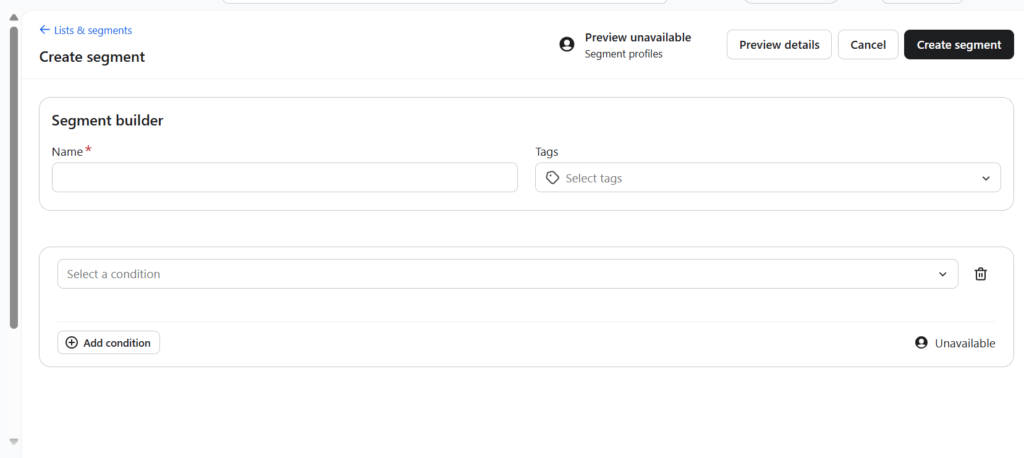
For example, store owners can create segments like first-time buyers, repeat customers, VIP spenders, or inactive subscribers, and send targeted campaigns to each group.
What I like most is that Klaviyo allows you to build segments with very specific conditions and combinations, which gives marketers a lot of control over who receives each message.
That said, because the segmentation system is so powerful, it can feel a little complex for beginners at first.
Still, for ecommerce businesses that want data-driven marketing and precise targeting, Klaviyo’s segmentation tools are some of the most advanced available.
👋My thoughts here
Klaviyo continues to add new features, and even now there’s a lot to like, especially if you run an ecommerce store and want deeper marketing tools.
Here are my thoughts:
- The segmentation and automation tools are very powerful, much more advanced than many basic email marketing platforms
- The ecommerce integrations are excellent, especially with platforms like Shopify and WooCommerce, making things like product recommendations and cart recovery easy to set up
- There are many useful features across the platform, such as revenue tracking, customer behavior data, and order-based triggers that help you create smarter campaigns
Klaviyo isn’t perfect, though. Because it offers so many features, the dashboard can feel a little overwhelming for beginners at first.
But if you want a powerful marketing platform that can grow with your business, Klaviyo is one of the strongest options available, especially for ecommerce brands that want advanced targeting and automation.
Reliability
For reliability, I give Klaviyo a 4.6 out of 5 rating.
Here’s why:
- Klaviyo generally performs very well with strong uptime and stable performance, even during busy ecommerce sales periods
- The platform regularly rolls out updates and improvements, showing that the team is actively developing the product
- Klaviyo also provides system status and update information, which helps users stay informed about performance or maintenance
Overall, Klaviyo is a very reliable marketing platform, especially for ecommerce businesses that depend on automated emails and campaigns running without interruption.
Frequent improvements are a good sign that the developers continue to maintain and expand the platform.
However, like any complex marketing tool, occasional bugs or small issues can appear when new features are introduced, though they are usually resolved quickly.
Platform Stability and Uptime
When running marketing campaigns, the last thing you want is a platform that goes offline or delays your emails.
From my experience and user feedback, Klaviyo performs very well in this area.
The platform rarely experiences major outages, and most campaigns send without any noticeable delay.
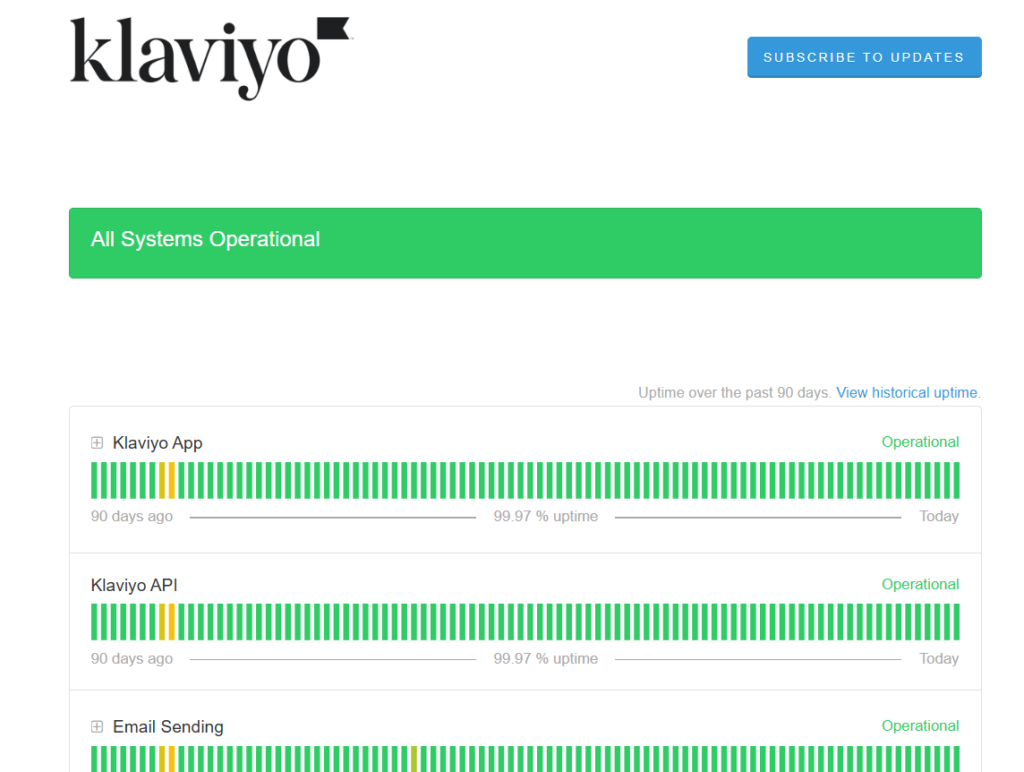
klaviyo status page
Many ecommerce businesses rely on Klaviyo during high-traffic events like holiday promotions, flash sales, and product launches, and the system generally holds up well during these spikes.
That’s partly because Klaviyo’s infrastructure is designed to scale with growing stores and large subscriber lists.
There have been occasional reports of temporary slowdowns when new features roll out or when very large campaigns are being processed, but these situations tend to be short and resolved quickly.
For most users, Klaviyo remains stable and available when it matters most.
Deliverability and Performance at Scale
One of the biggest reliability factors for any email platform is deliverability.
After all, if emails don’t reach the inbox, the campaign doesn’t really matter.
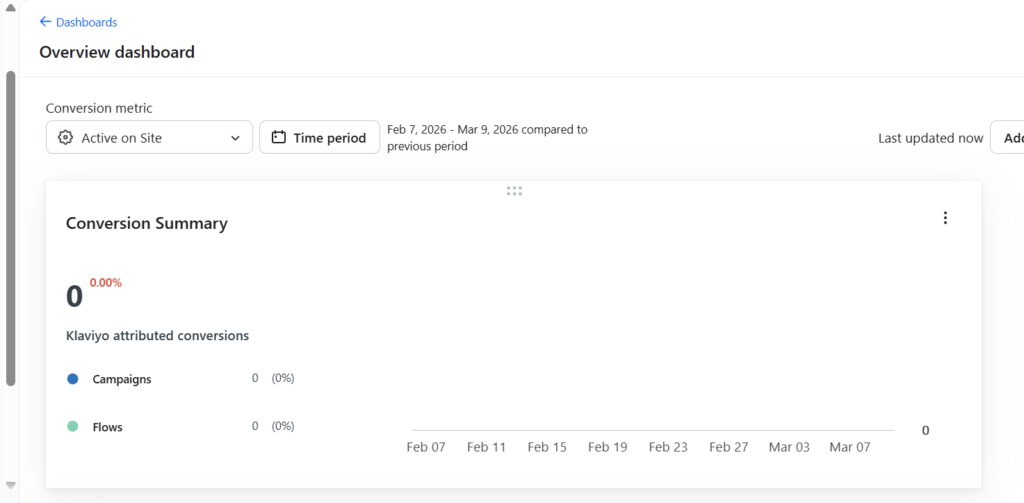
Klaviyo performs strongly here by offering built-in tools that help protect sender reputation.
These include features like domain authentication, deliverability monitoring, and audience segmentation, which help marketers send more relevant emails and avoid spam filters.
klaviyo campaign performance report
Many users report strong inbox placement even as their lists grow to tens of thousands of subscribers.
The platform is also optimized for sending large campaigns without major performance drops.
That said, some advanced users wish Klaviyo offered even deeper deliverability analytics or more detailed bounce reporting, especially for enterprise-level marketing teams.
For most small and mid-sized ecommerce stores, though, Klaviyo delivers reliable campaign performance and consistent email delivery, even as subscriber lists expand.
👋 My thoughts here
Seems like Klaviyo isn’t slowing down when it comes to reliability either.
But anyway, here are my thoughts:
- Klaviyo shows strong performance and usually stays stable, even during high-traffic sales events and big ecommerce promotions
- Campaigns and automated flows generally send quickly and reliably, even when working with large subscriber lists
- The platform feels well optimized, and I rarely notice major delays when creating campaigns or managing multiple automations
Unfortunately, there are a few small drawbacks worth mentioning.
For one, Klaviyo sometimes releases new features and updates without very detailed explanations for users.
It would be helpful if updates were always clearly explained so users could easily understand what changed or improved after each release.
Not having full clarity can occasionally make it harder when you’re trying to learn a new feature or troubleshoot something in the platform.
Still, overall, Klaviyo continues to show strong reliability and performance, especially for ecommerce businesses that depend on consistent email and SMS marketing.
Support
For support, I give klaviyo a solid 4 out of 5 rating.
Here’s why:
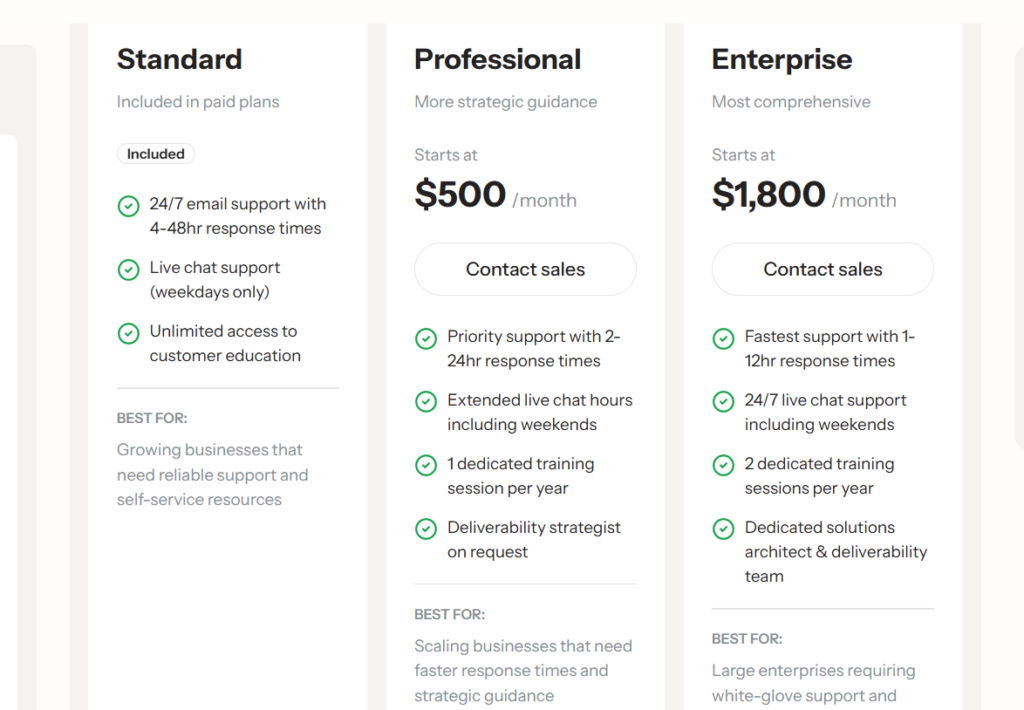
- Support is available 24/7 via live chat or email, which is convenient for users in any time zone
- The team replies quickly and is usually helpful, though there’s no phone option for those who prefer calling
- The knowledge base is now robust, with dozens of articles covering everything from basic setup to advanced automations
Klaviyo provides reliable, around-the-clock support and a much-expanded documentation library, making it easier for new and advanced users to get help fast.
While phone support and an official community forum are still missing, the current support options and resources cover most users’ needs well.
Support Options and Resources
When you need help, Klaviyo offers several ways to get support, such as:
- Live chat support for quick questions
- Email support for more detailed or technical issues
- A large knowledge base filled with step-by-step guides, articles, and video tutorials
This makes it easy to get help quickly, whether you prefer chatting with support or solving the issue on your own.
I found the knowledge base especially helpful when learning how to set up campaigns, build automation flows, and troubleshoot small issues without needing to contact support.
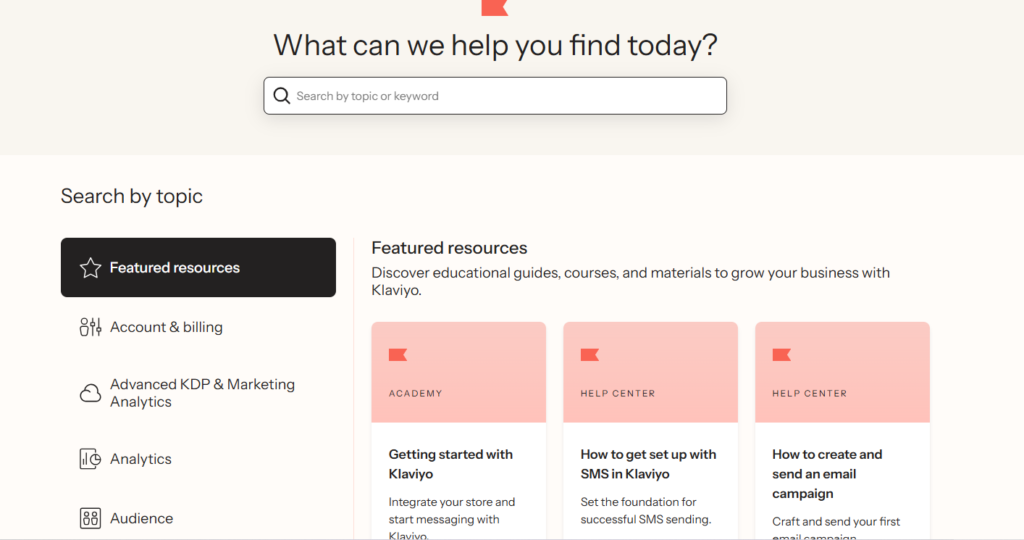
If you’re new to the platform, you’ll probably appreciate the onboarding emails and in-app tips that guide you through the main features and point you to useful resources.
Klaviyo also has an active community forum, where users can ask questions, share ideas, and learn from other marketers, in addition to the help center, live chat, and email support.
Real-World Support Experience
Most of the time, Klaviyo’s support team is responsive.
In my experience and from what I’ve seen shared by other users online, live chat responses usually arrive fairly quickly during business hours, and email replies generally come within a reasonable time.
Many users mention that the support team is helpful and patient, especially when troubleshooting more technical issues like integrations, automation flows, or deliverability settings.
That said, some users do report slower response times during busy periods, such as major ecommerce sales events like Black Friday or Cyber Monday, when many businesses are contacting support at the same time.
Occasionally, resolving more complex issues may require a few follow-up messages before everything gets sorted out.
Overall, though, most users seem to have positive experiences with Klaviyo’s support, and the team appears genuinely focused on helping users solve problems rather than just closing support tickets quickly.
👋 My thoughts here
When it comes to support, Klaviyo offers several helpful support options that most marketing platforms provide.
Here are my thoughts:
- Support is available through live chat and email, but there’s no phone support for most users
- The support team usually replies fairly quickly during business hours
- The knowledge base is very detailed and covers many topics like campaigns, automation flows, integrations, and deliverability
Klaviyo provides live chat and email support, along with a large help center filled with guides, tutorials, and documentation.
You can usually reach the support team directly through the in-app chat, or by submitting a request through the help center if you need more technical assistance.
Overall, getting help with Klaviyo is fairly straightforward, and most users can either contact support directly or find answers through the platform’s detailed documentation and community resources.
Final Thoughts
If you’re considering Klaviyo, it’s a good idea to start with a plan that fits your current needs, especially if you’re running a new or growing ecommerce store.
This approach allows you to explore the platform’s features without committing to a larger plan right away. As your business grows and your subscriber list expands, upgrading to a higher plan is simple and can be done in just a few clicks.
Before choosing a plan, take some time to think about what your store really needs. Pay attention to features like email automation flows, audience segmentation, detailed analytics, and SMS marketing, since these are some of the areas where Klaviyo really shines.
By focusing on the features that match your marketing strategy, you can get the most value out of Klaviyo while keeping your costs under control as your store grows.